Entering Events using the Dust App
Announcements:
The deadline for submitting your parties, workshops, dj sets, performances, and whatever else you have planned to Dust is May 14th.
Virtual Dust Office Hours are available on 5/7 from 5-6:30pm and 5/13 from 8:30-9:30pm.
Register here and our Dust Specialist Nieve will troubleshoot any issues you may have.
You can also email Nieve with questions at Nieve@soakpdx.com
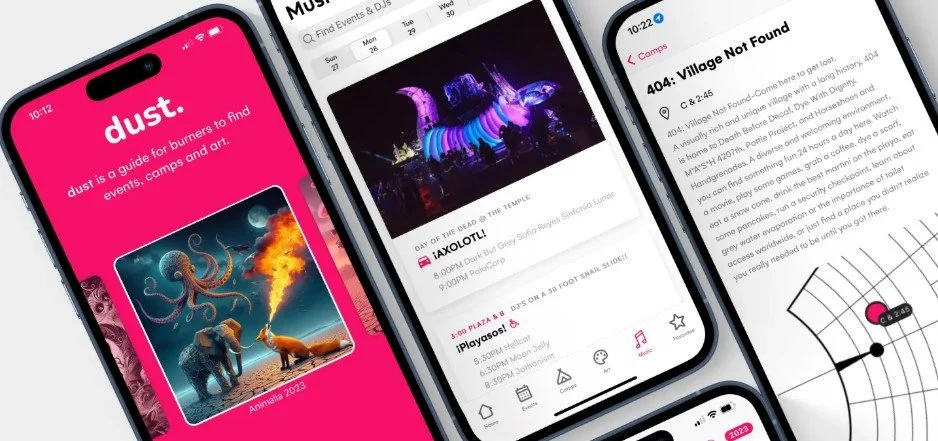
Dust is an open source platform built for Burning Man regionals, which SOAK is using to help attendees discover camps, events, and art. If you want people to know what's happening at your camp, this is where you make it happen.
Here's what’s needed from you:
Sign in at https://edit.dust.events with the email you used to register your art/camp and find your camp. After you enter your email, a verification code will be sent to your email to sign in.
Review your camp details for accuracy. We recommend adding a photo for your camp as well.
Add your events, workshops, performances, rituals, whatever you've got planned.
The deadline for adding and editing content in Dust will be one week before the event, May 14.
Add your music lineup if you're hosting DJs or live musicians.
You can find a video tutorial demonstrating sign in, editing your camp details, and managing events and music here: https://dust.events/docs/camp-leads
Please be aware, characters such as ‘ ë — ? sometimes don’t survive the journey of being copy pasted into dust. Review your entries to correct any error symbols (�) when you add events or edit your camp description.
If you need to change the name of your camp, please email Placement@soakpdx.com rather than updating it yourself. This makes sure any name changes get reflected everywhere they need to, rather than just in Dust.
If you need additional help, please reach out to Nieve, the SOAK*2026 Dust Specialist, at nieve@soakpdx.com
There is a useful video here that walks you through how to log in, edit your camp/art details, and add your events to Dust.